
Moldboxer Lite
Start saving silicone with simple, fast mold generation.
$59Get Moldboxer LiteStart saving silicone with simple, fast mold generation.
$59Get Moldboxer LiteEverything in Lite, plus
Full control to design, refine, and optimize your molds.
$129Get Moldboxer CoreAdvanced tools for complex molds and professional workflows.
$249Founders priceGet Moldboxer ProInstallation route
The Windows package includes the Moldboxer Blender application. A separate official Blender installer is also available below.
Extract the downloaded zip.
Open the extracted folder.
Look inside the extracted folders if needed to find blender.exe.
Double-click the Blender Launcher.

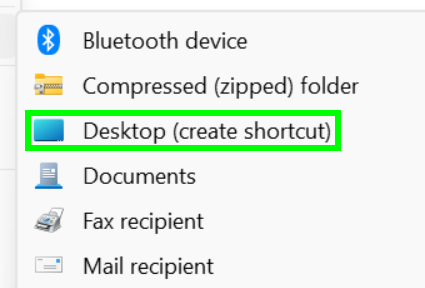
Right-click blender.exe and choose Show more options if your Windows menu is condensed.
Then choose Send to > Desktop (create shortcut).
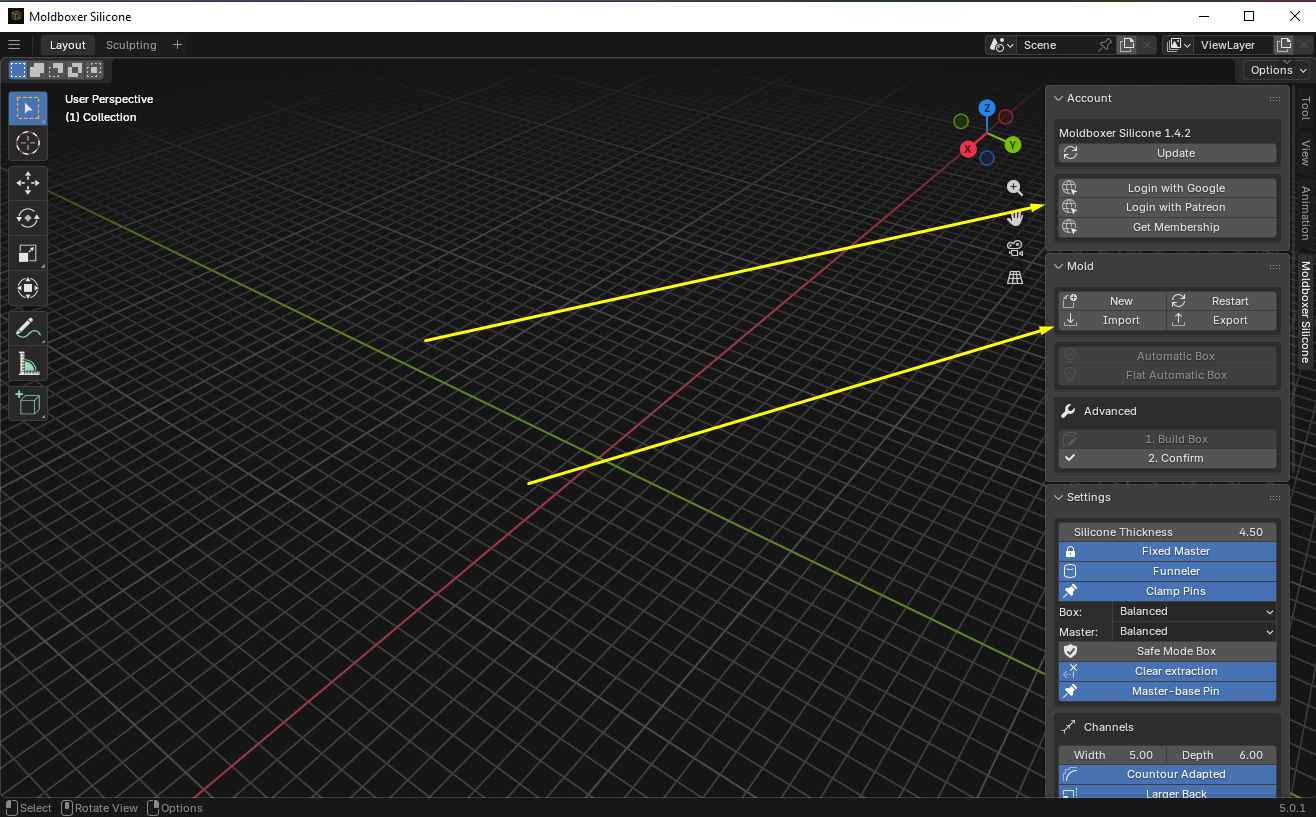
Sign in first, then import your master model.
Installation route
Use the signed Apple Silicon disk image. Browser signals cannot reliably distinguish every Mac, so choose Intel manually when needed. The separate Blender link points to the official ARM installer.
Open the downloaded .dmg file.
Follow the instructions shown in the disk image to install or launch Moldboxer.
Sign in first, then import your master model.
Installation route
Install the deployment-provided Moldboxer extension package on top of Blender 4.5 for Intel Mac.
Open Blender 4.5 first, installing it if needed, then go to Preferences to manage extensions and repositories.
Open Blender.
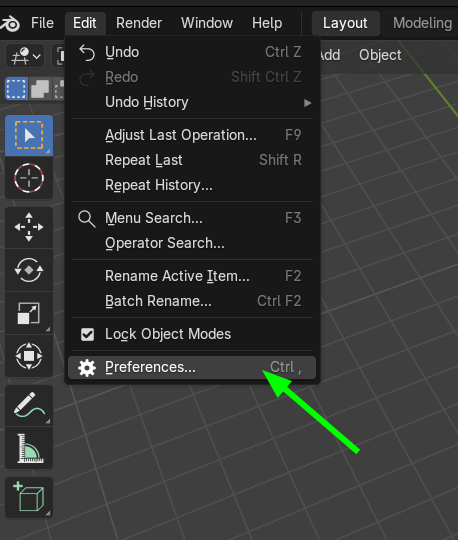
In Preferences, open Get Extensions to manage add-ons.
Use the left sidebar and click Get Extensions.
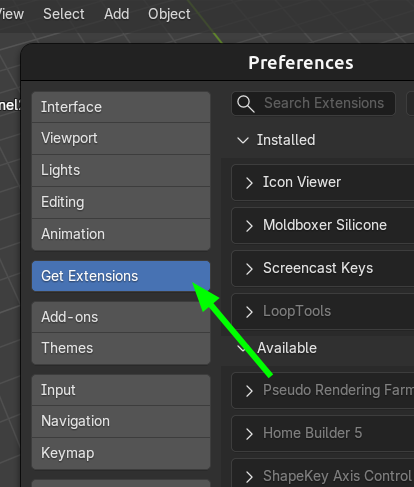
Download Moldboxer and install the zip directly from disk.
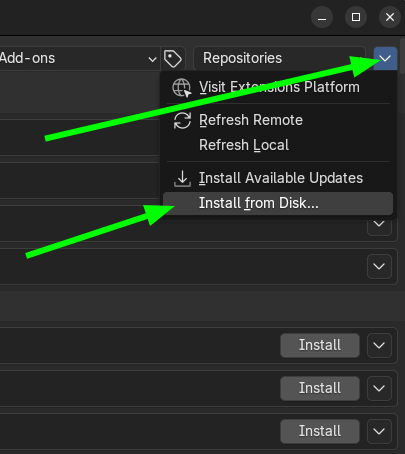
Click the top-right arrow and choose Install from Disk.
Select the downloaded .zip file (do not unzip) and confirm installation.
Installation route
Install the deployment-provided Moldboxer extension package on top of Blender 5.0. Blender 5.1 is not compatible.
Open Blender 5.0 first, installing it if needed, then go to Preferences to manage extensions and repositories.
Use Blender 5.0 only.
Blender 5.1 is not compatible.
Windows and Linux: Edit > Preferences.
In Preferences, open Get Extensions to manage add-ons.
Use the left sidebar and click Get Extensions.
Download Moldboxer and install the zip directly from disk.
Click the top-right arrow and choose Install from Disk.
Select the downloaded .zip file (do not unzip) and confirm installation.