
All applications
Art and sculpture
Plan digital mould tooling for an original sculptural master with a source-backed digital mould workflow.
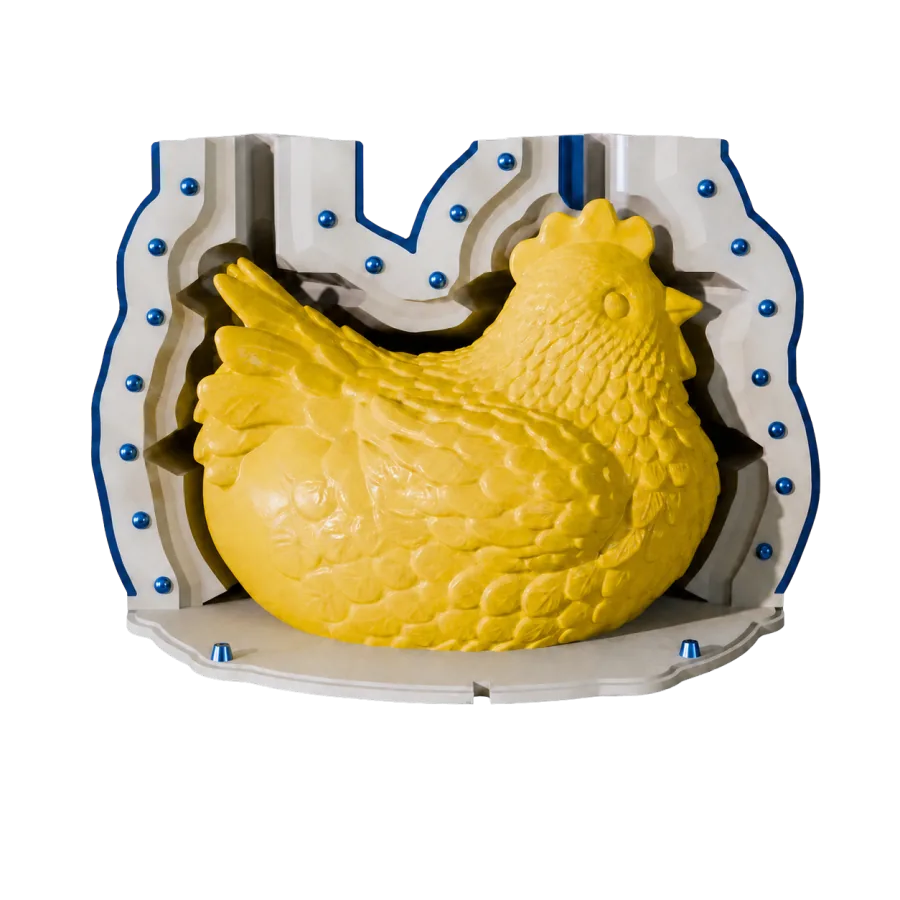
A practical digital workflow
- 01Prepare the master
- 02Review the system
- 03Export tooling
Where the workflow fits
This page considers digital mould tooling for an original sculptural master. Moldboxer starts from a 3D model and can generate configurable mould tooling, but the geometry alone does not establish material compatibility or safety.
Prepare the digital master
Use a clean STL or OBJ master at the intended scale and orientation. Decide access, removal direction, openings, and likely splits for the art and sculpture form before choosing a box or tray workflow.
Review before export
Inspect walls, base, splits, funnel, channels, clamps, and generated parts where they apply. Treat volume and weight as estimates, export separate STL tooling only after review, and validate the physical material process independently.